


Set up Zoiper for outgoing calls
wp:html
This is a translation of an earlier article. Prices, coverage, promotions and application screens reflect the original publication and may have changed. Check current availability, requirements and rates before ordering.
Historical tutorial: the interface may differ in current Zoiper versions. Use the SIP credentials and transport settings supplied for your account. Current Zoiper account setup guide.
In this tutorial we will teach you how to configure and install the Zoiper application to make calls from your Virtual Landline.
OPTION YOU DO NOT HAVE THE APP INSTALLED:
- Download the Zoiper app in the app store and install and open it.
- Accept the conditions
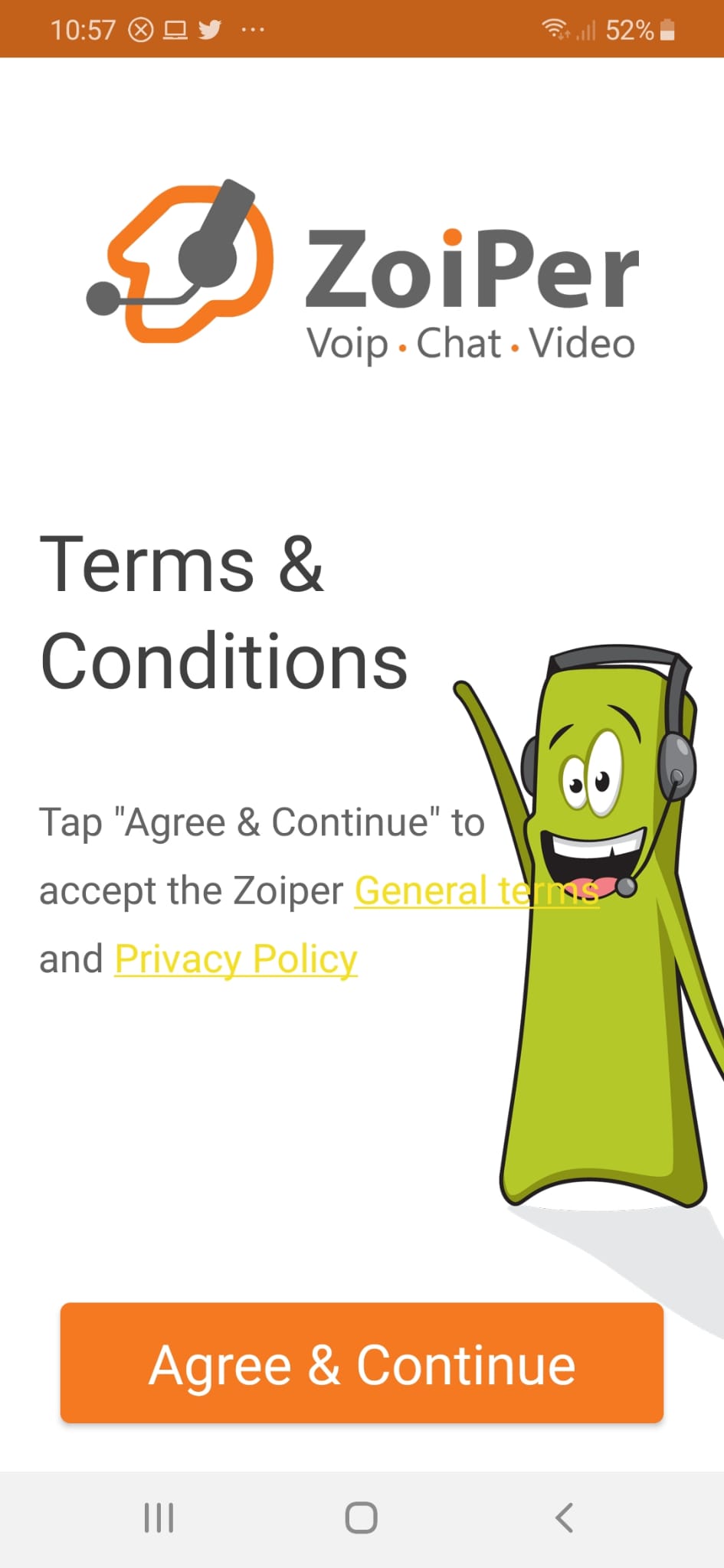
- Copy and paste the given values for the app configuration
USERNAME
PASSWORD
SERVER - Account setup press create an account
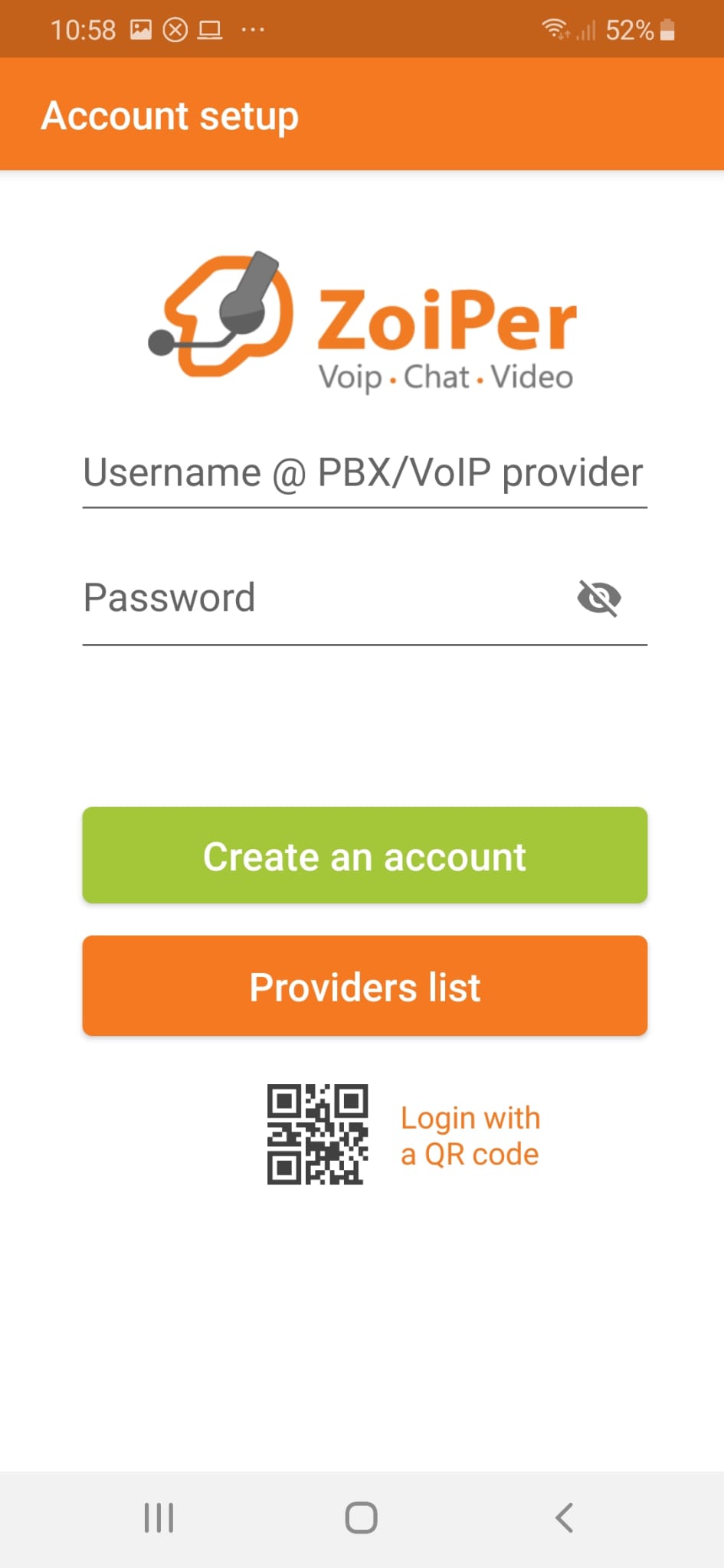
- Enter the username and password provided in step 3
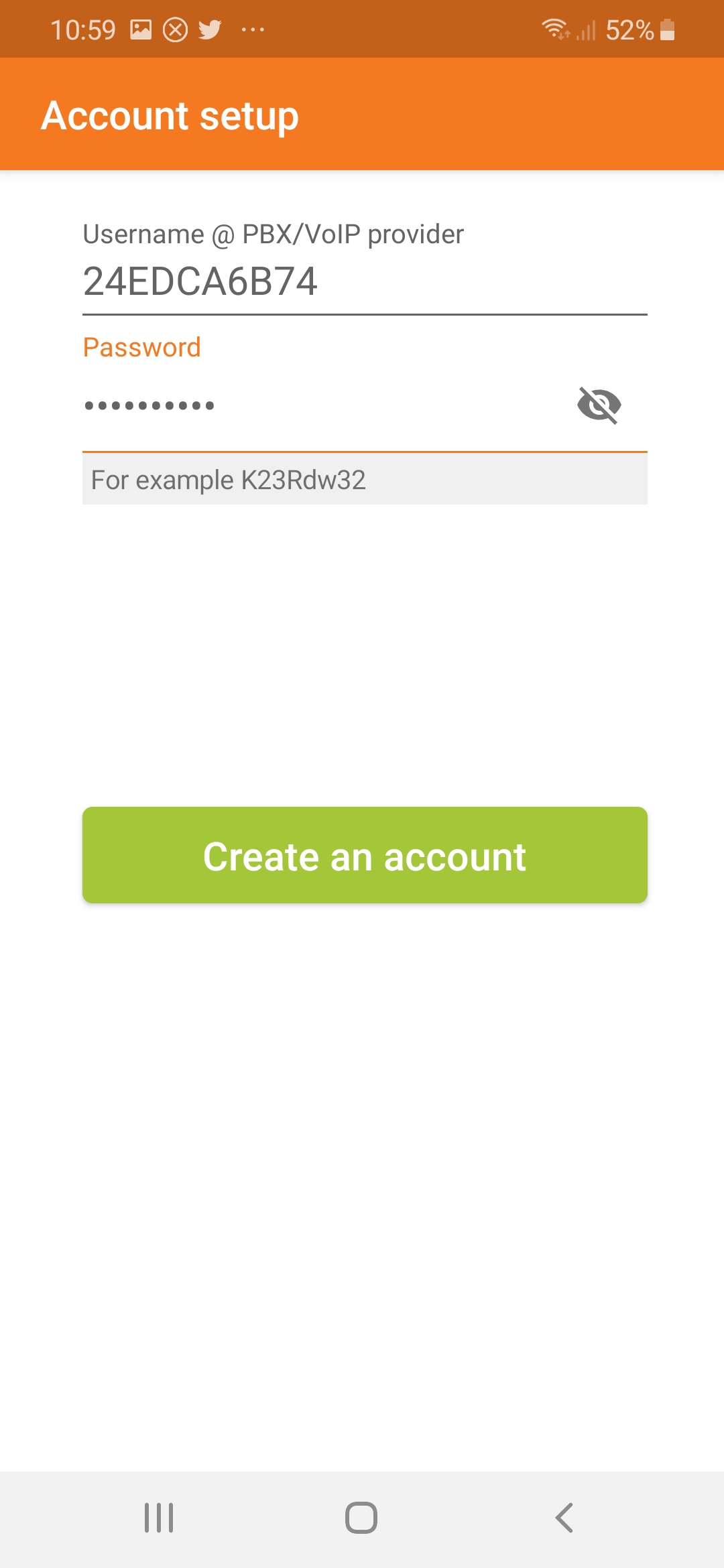
- Put server given in step 3 (be careful to put exactly what is passed without anything in front)
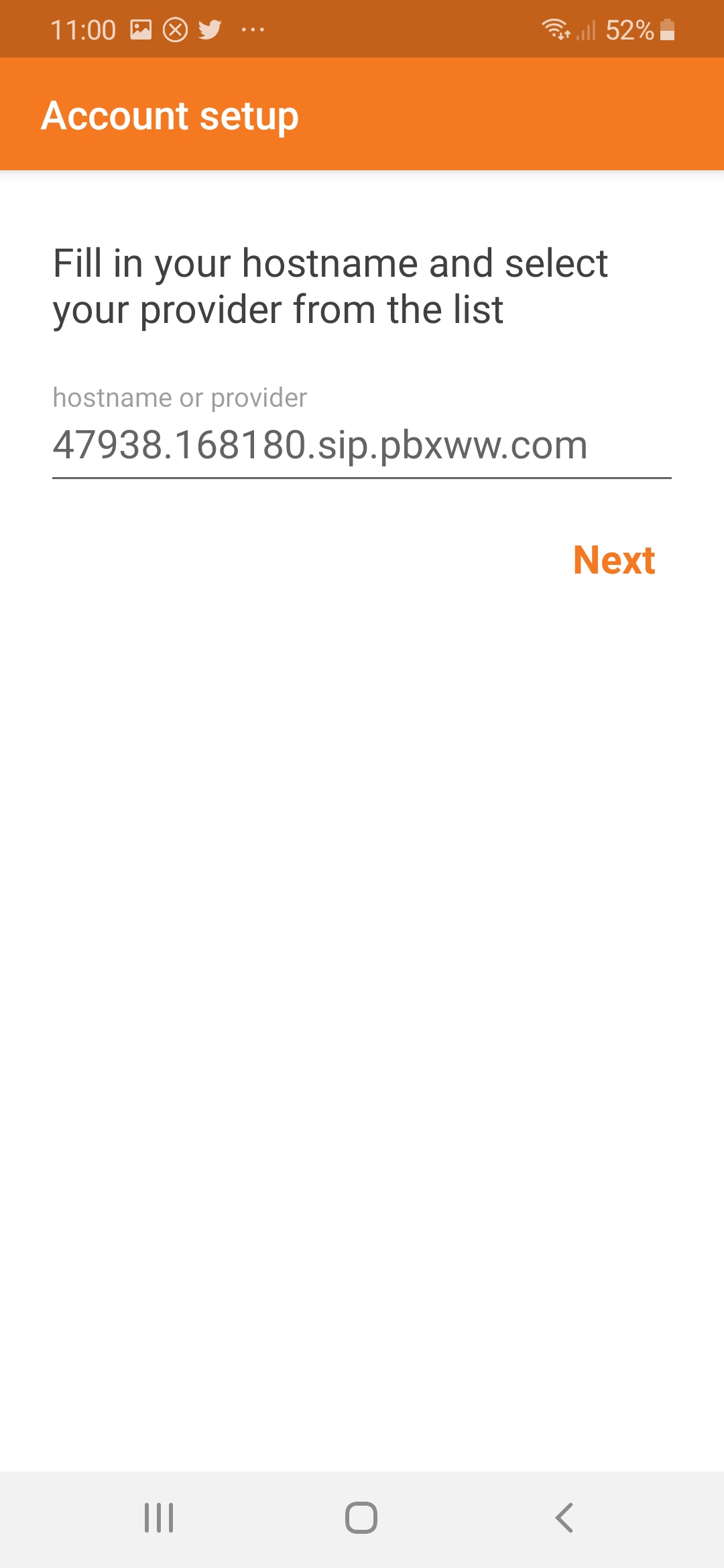
- Put given user and server in point 3
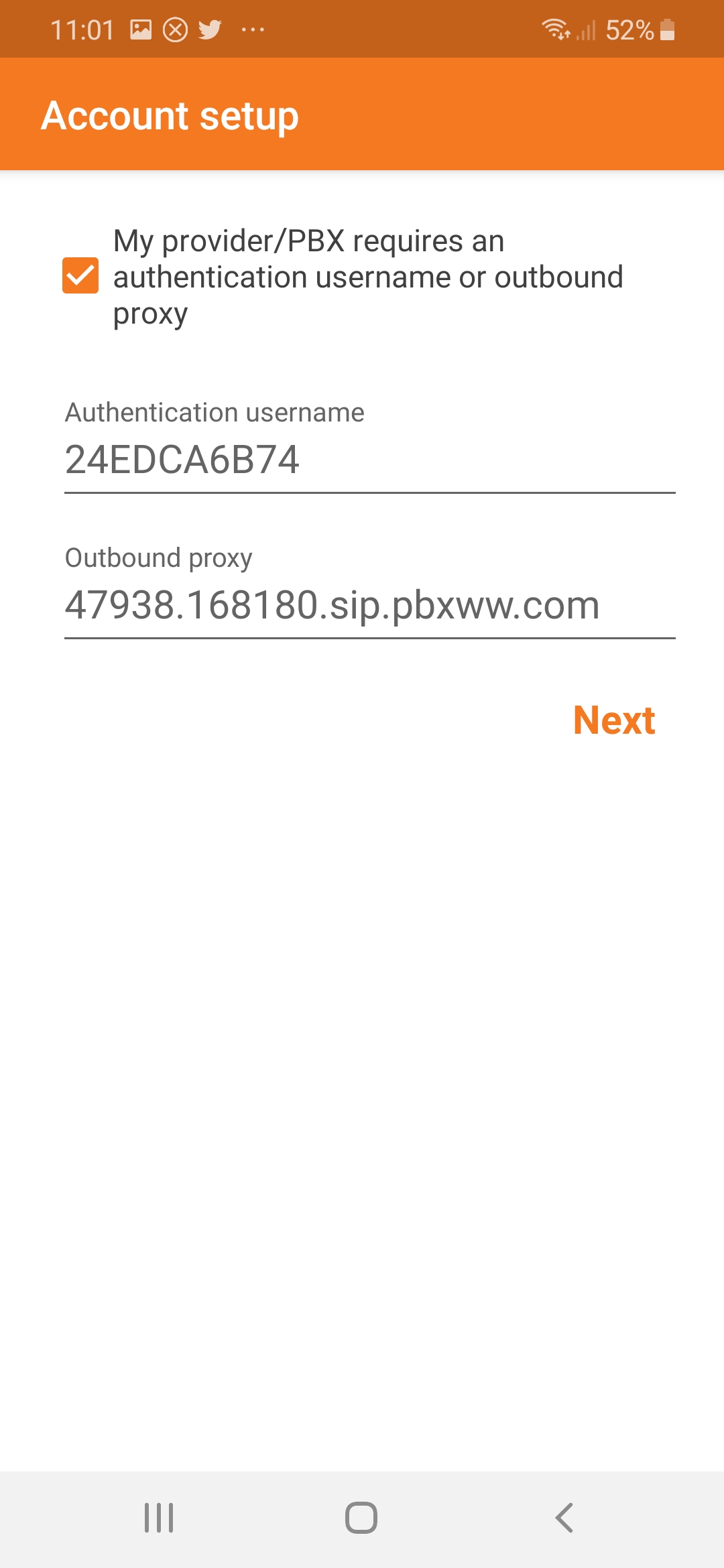
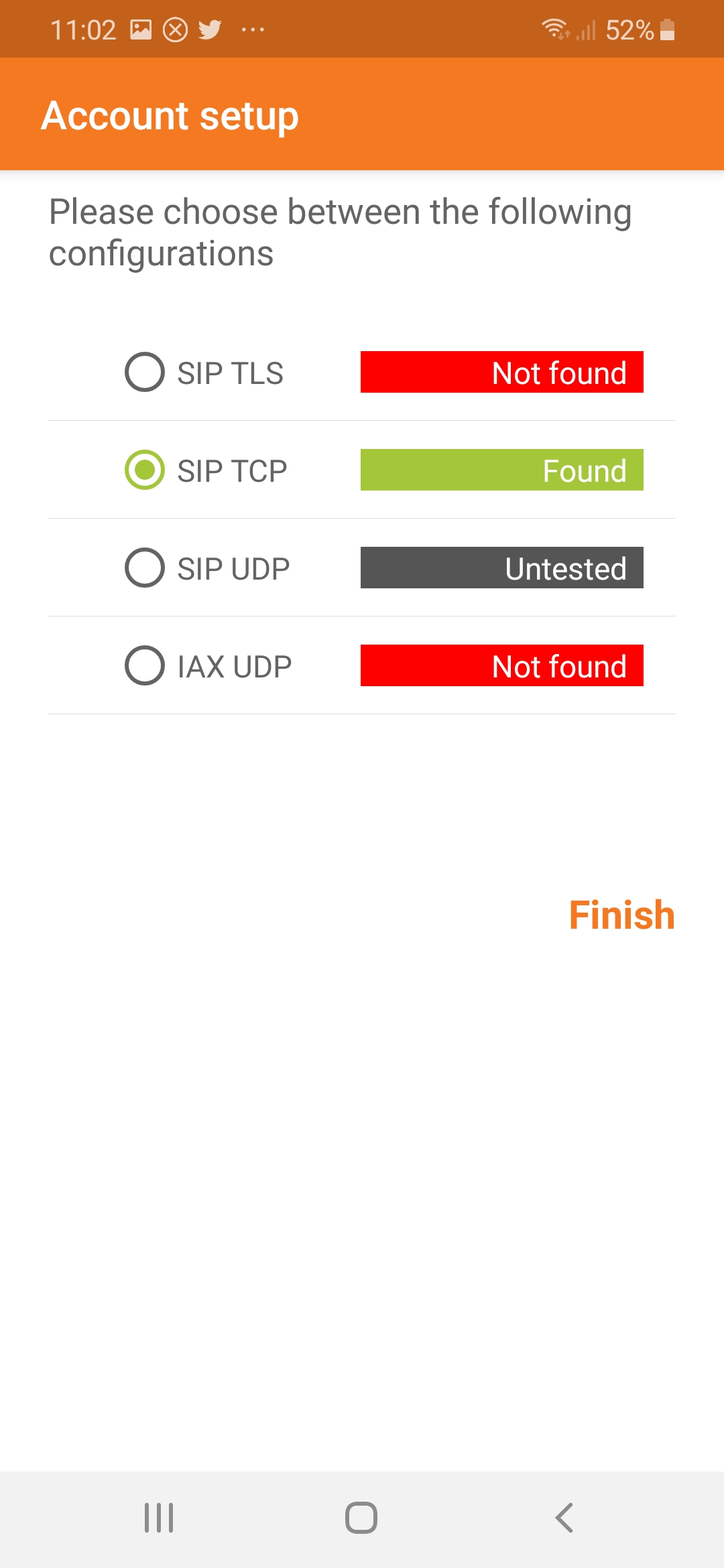
- Here goes TCP network (in general it detects it alone and appears in green)
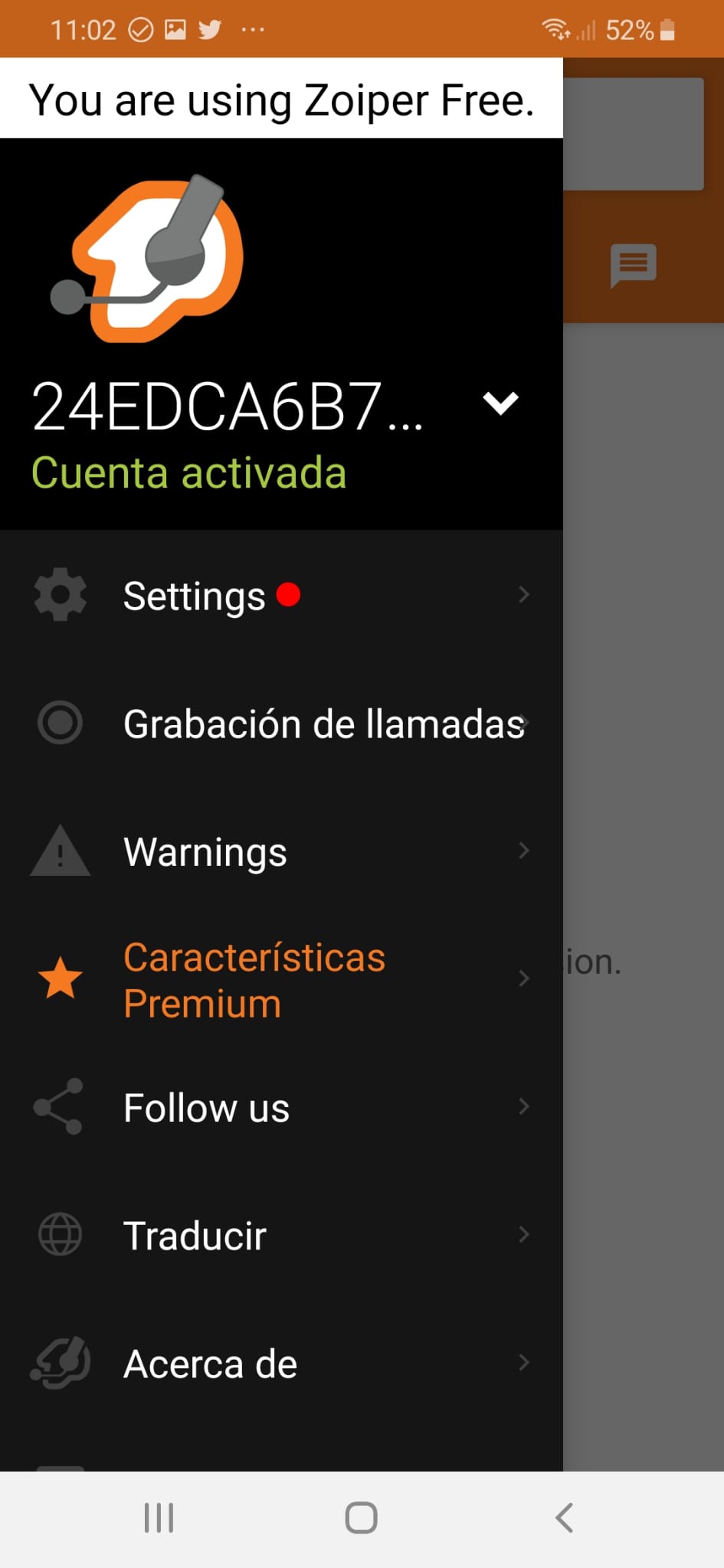
- Working
- Make a call enter country code
- Thank you for using our service
OPTION I ALREADY HAVE THE APP INSTALLED
To configure your virtual number to be able to make calls from the Zoiper app:
- Open the Zoiper app
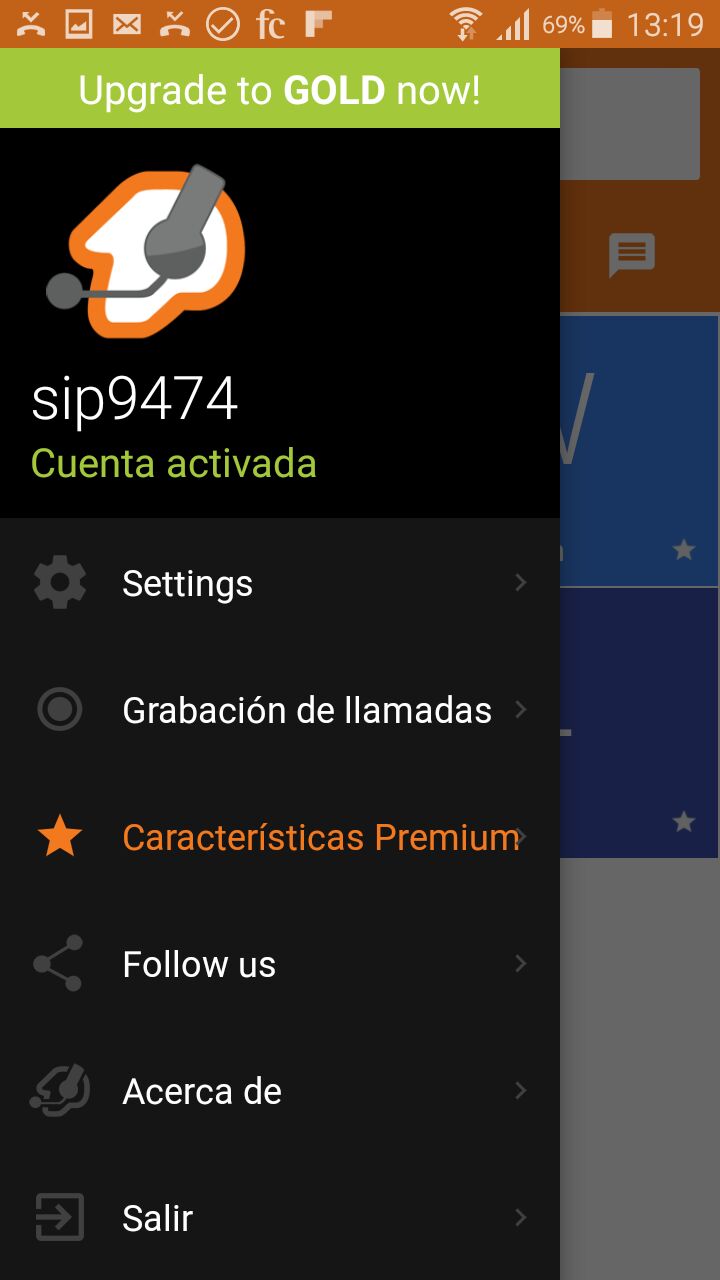
- Go to SIP account settings (Settings)
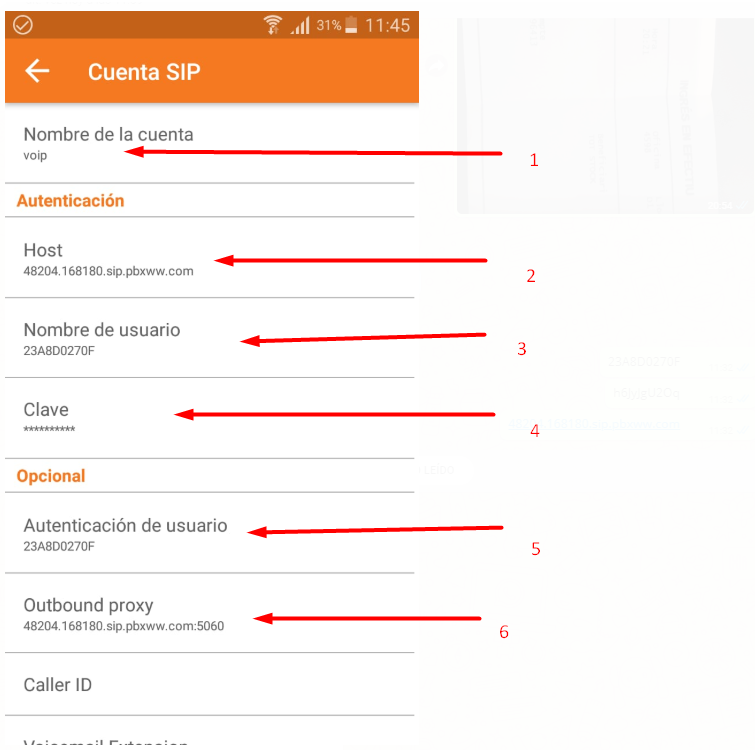
- Enter the details supplied in step 3 above. You can choose any account name.
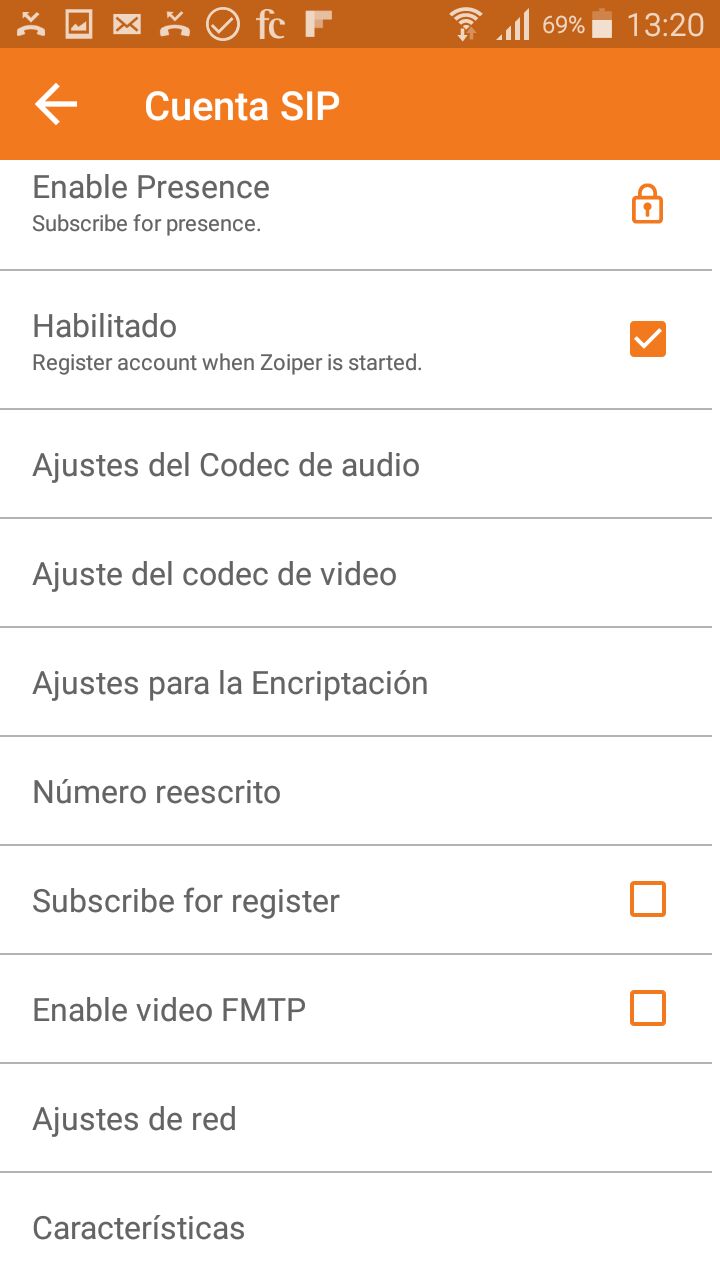
- Check that the network transport setting is TCP.
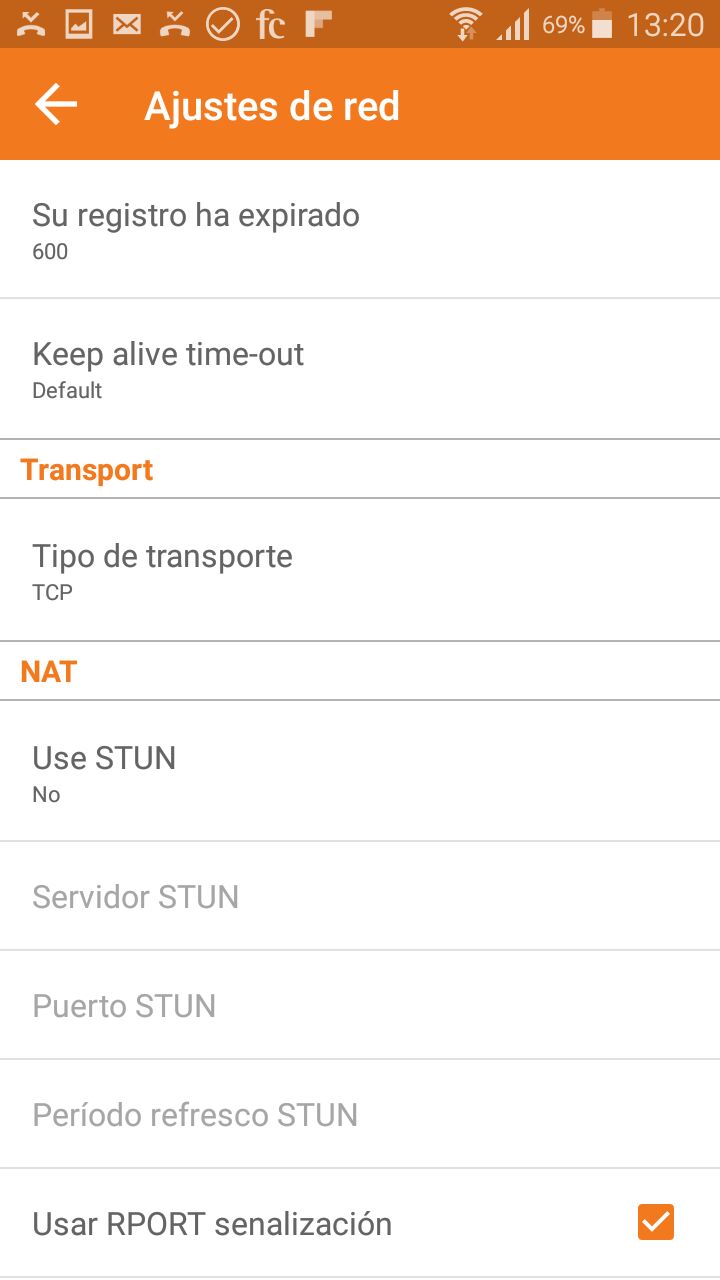
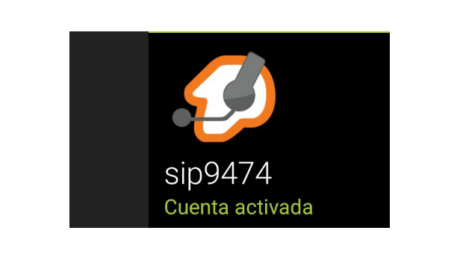
- The account should now appear active in green.
Explore virtual numbers · Check countries and prices
/wp:html
- Published in Blog
FijoVirtual in Europa Press

wp:html
This is a translation of an earlier article. Prices, coverage, promotions and application screens reflect the original publication and may have changed. Check current availability, requirements and rates before ordering.
In just a few years we have become one of the main virtual telephony players worldwide. That’s why we wanted to tell you that Europapress has called us to give an informative note about the cutting-edge services we offer in terms of virtual numbers.
Europa press is the 186th most visited website in Spain and one of the most important worldwide.
From this link you can see the complete note on the main advantages of ordering a virtual telephone number.
RELEASE: Main advantages of ordering a virtual telephone number
This type of virtual services offered by FijoVirtual provides many advantages. The main one is that it is not mandatory to have or have a physical device for use, you can use a normal mobile phone to receive calls. That is, it is possible to have two telephone numbers associated on the same SIM card, one for the usual mobile number and the other for the Virtual Landline. If you add a virtual PBX to the virtual lines, they can include a voice mailbox, call waiting, welcome menu, blocking incoming numbers, and many more functions. Regarding activation, it is, in general, very fast.
(c) 2015 Europa Press. Redistribution and redistribution of this content without prior express consent is expressly prohibited.
Explore virtual numbers · Check countries and prices
/wp:html
- Published in Blog
Establish your business abroad

If you run a business or work for yourself in Madrid, for example, you can use a virtual number in Mexico City, with the 55 area code, to give customers a local point of contact. With FijoVirtual, calls to that Mexican virtual landline number are automatically forwarded to your landline in Madrid or the Spanish mobile number you specify. Customers call a number in their own country and you answer where you work. The cost of their call depends on their operator and plan; check number availability and forwarding rates before ordering. Virtual numbers.
- Published in Virtual landline number use cases
Give your business a more professional image

Do you work around Barcelona but spend most of your time away from the office, with nobody there to answer calls? You can order a Barcelona virtual number, with the 93 area code, from FijoVirtual. Calls to this virtual landline number are automatically forwarded to the mobile number you choose. You keep a local business number while answering from your mobile, whether or not you have a physical landline in the office. Callers pay according to their operator’s rates. For additional call management features, you can also use our virtual PBX.
- Published in Virtual landline number use cases
Reduce roaming costs when travelling abroad

Imagine you live in Madrid and are travelling to the United States, but still want to receive calls from customers and friends in Spain. Before leaving, you order a Spanish FijoVirtual number and set your Spanish mobile to forward calls to it. Set this up while you are still in Spain. On arrival, you obtain a local SIM and tell us your US number. Calls to your Spanish mobile can then reach that number through the virtual number. This avoids receiving those calls on your Spanish SIM while roaming. Check your operator’s forwarding charges, the virtual number’s destination rates and any charges on the local SIM before travelling. Virtual numbers.
- Published in Virtual landline number use cases
Get a 902 number

Businesses often receive repeated calls to their landline from customers who need help with different tasks. The original example mentions getting a 902 number, a 900 number or a 901 number to handle these calls. These are Spanish numbering ranges, and they can also be used as virtual numbers. Before choosing one, check availability, charges for callers and the requirements that apply to your intended use. Explore our virtual numbers before selecting the right option for your business.
- Published in Virtual landline number use cases
Keep family and friends closer

Suppose you live in Madrid and want to receive calls from relatives abroad, for example in Lima, Peru. The original example uses a Lima virtual number from FijoVirtual, beginning with 641. Calls to that virtual landline number are automatically forwarded to your Madrid landline or the Spanish mobile number you specify. Your family calls a number local to them, while you answer on your usual phone. Check the current availability of numbers in the chosen location, the caller’s rates and the forwarding cost before ordering. Virtual numbers.
- Published in Virtual landline number use cases
Save on traditional landline rental

The original article compared a Spanish telephone line rental charge of €18.14 with an Amena mobile internet offer including 100 GB and no landline. It suggested savings of more than €10 a month and mentioned a plan without a minimum contract term. These are historical prices and conditions, not a current offer. The underlying idea is to combine internet access without a traditional phone line with a virtual number from FijoVirtual. Calls to a number in your city are forwarded to the mobile you specify. Compare today’s internet plans, virtual number subscription and forwarding charges to see whether this arrangement suits you. Also check the conditions of any flat-rate plan. Virtual numbers.
- Published in Virtual landline number use cases
Manage incoming calls with a virtual receptionist

If you are self-employed or run a small business, you may work both in and out of the office and struggle to answer every customer call. A virtual landline number and a virtual PBX can help organise incoming calls. Give customers the number and let a voice menu welcome them and offer extensions: press 1 for sales, press 2 for billing, for example. You can configure each extension of your virtual PBX to forward calls to a different landline or mobile, or send them all to the same phone. Choose the arrangement that fits how your business handles calls.
- Published in Virtual landline number use cases
Run temporary marketing campaigns

A common use for a virtual number is a specific product or service launch. You publish a phone number so that people can request information or place an order. With FijoVirtual, calls ring on the landline or mobile you choose. By adding a virtual PBX, you can configure email notifications for incoming calls. This helps you keep track of the number of calls received and assess the response to your campaign. A dedicated number lets you distinguish these enquiries from calls to your usual business number and see how much telephone interest the campaign generates. Virtual numbers.
- Published in Virtual landline number use cases